Active Directory remains a primary target for identity-based attacks. A single risky configuration—whether a misconfigured certificate template, excessive permission or stale account—can create an opportunity for attackers to escalate privileges and move laterally.
That’s why we’re introducing Active Directory Security Posture Management (AD-SPM). Part of Cortex Identity Threat Detection and Response(ITDR), AD-SPM continuously identifies risky Active Directory configurations and permissions—without requiring another tool or manual scans.
What is AD-SPM?
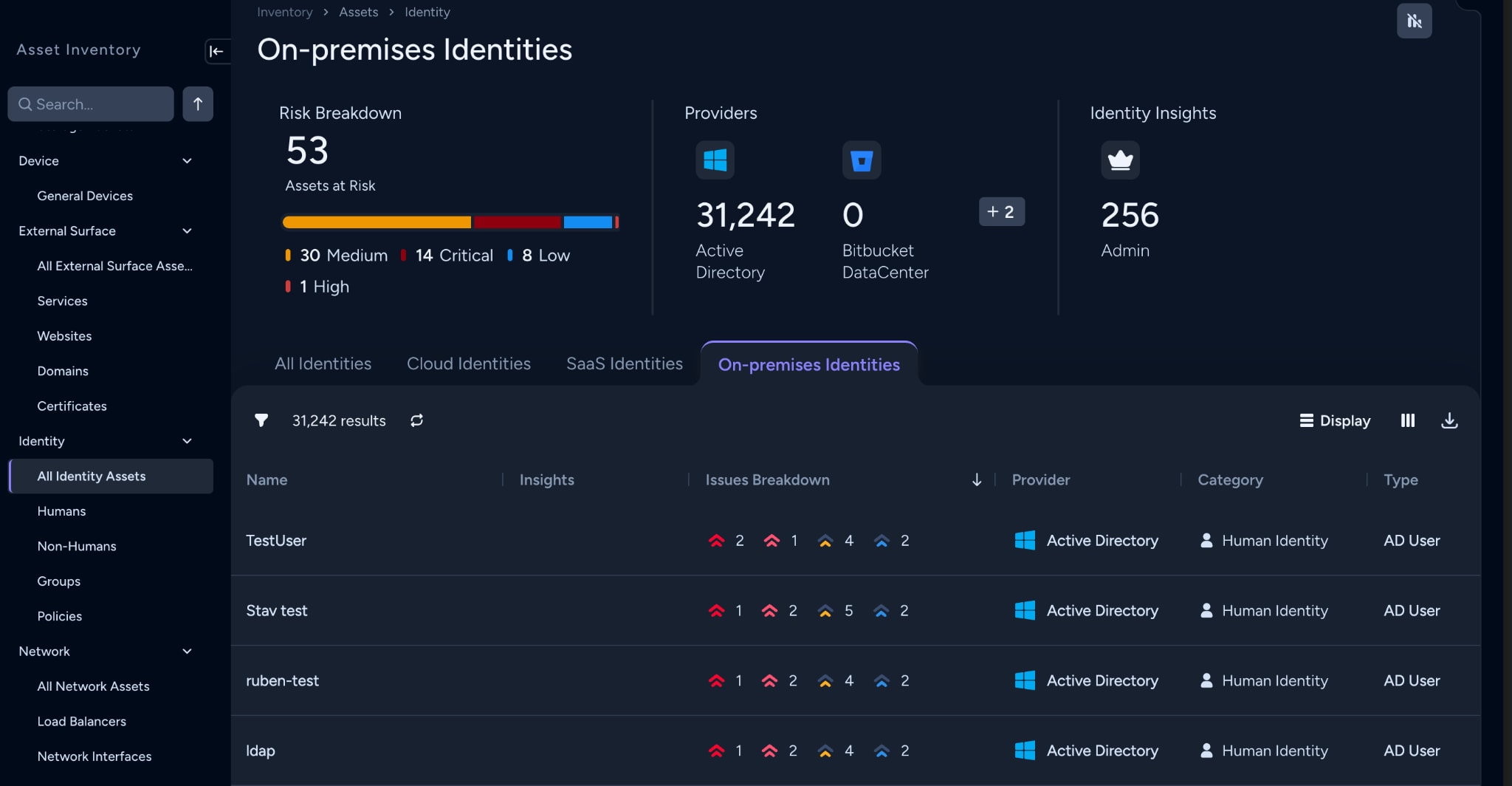
AD-SPM continuously monitors your Active Directory environment, identifying risky configurations and mapping them to persistent asset identities in Cortex XSIAM’s Unified Asset Inventory. Instead of hunting through disconnected logs, security teams get a consolidated view of Active Directory security posture and can see which issues are new, resolved or still require attention.
The existing Cortex agent on your domain controllers handles collection continuously — with no new tools to deploy or scheduled scans to manage.

Gain full visibility into your Active Directory security surface
The Cortex agent on your domain controllers continuously collects configuration data across every security-relevant area of Active Directory:
- Identity objects — users, computers, service accounts, and groups, including account control settings, service principal names, delegation settings, security identifier history, and encryption types.
- Access control lists — permissions on certificate templates, privileged users, domain controllers, organizational units, Group Policy Objects, and containers.
- Certificate templates — enrollment permissions, extended key usage settings, and security extension configuration.
- Group Policy Objects — policy settings and link status.
- Trusts — inter-domain and inter-forest trusts.
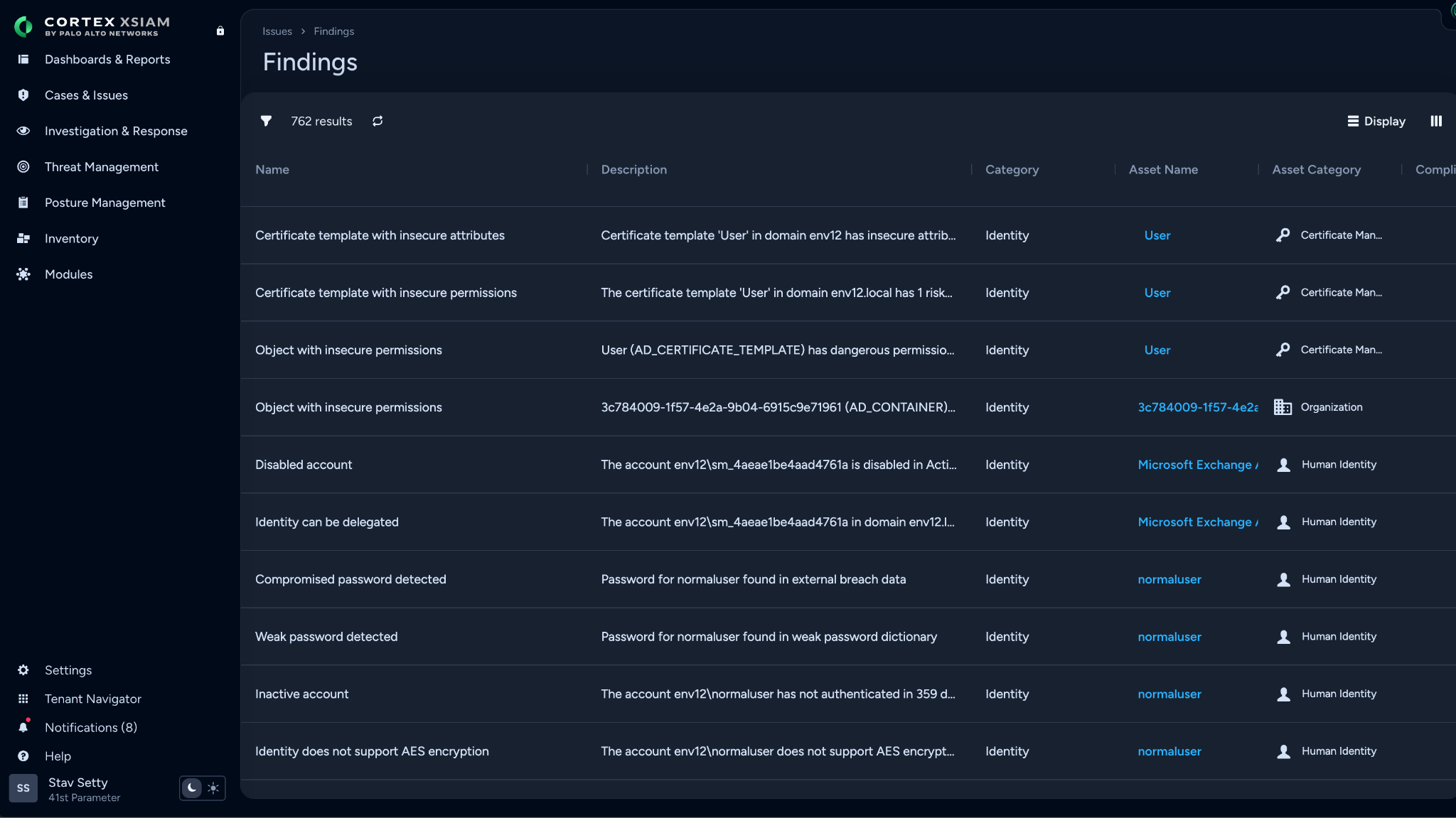
- Domain controller configuration — local settings such as LDAP signing, SMB signing, TLS versions, and Print Spooler status.
No additional tools to deploy. No scans to schedule. The agent handles collection automatically on each cycle.
How are findings tracked?
Each AD object is assigned a persistent identity that remains consistent even if an account is renamed or moved. This identity is tracked in the Unified Asset Inventory.
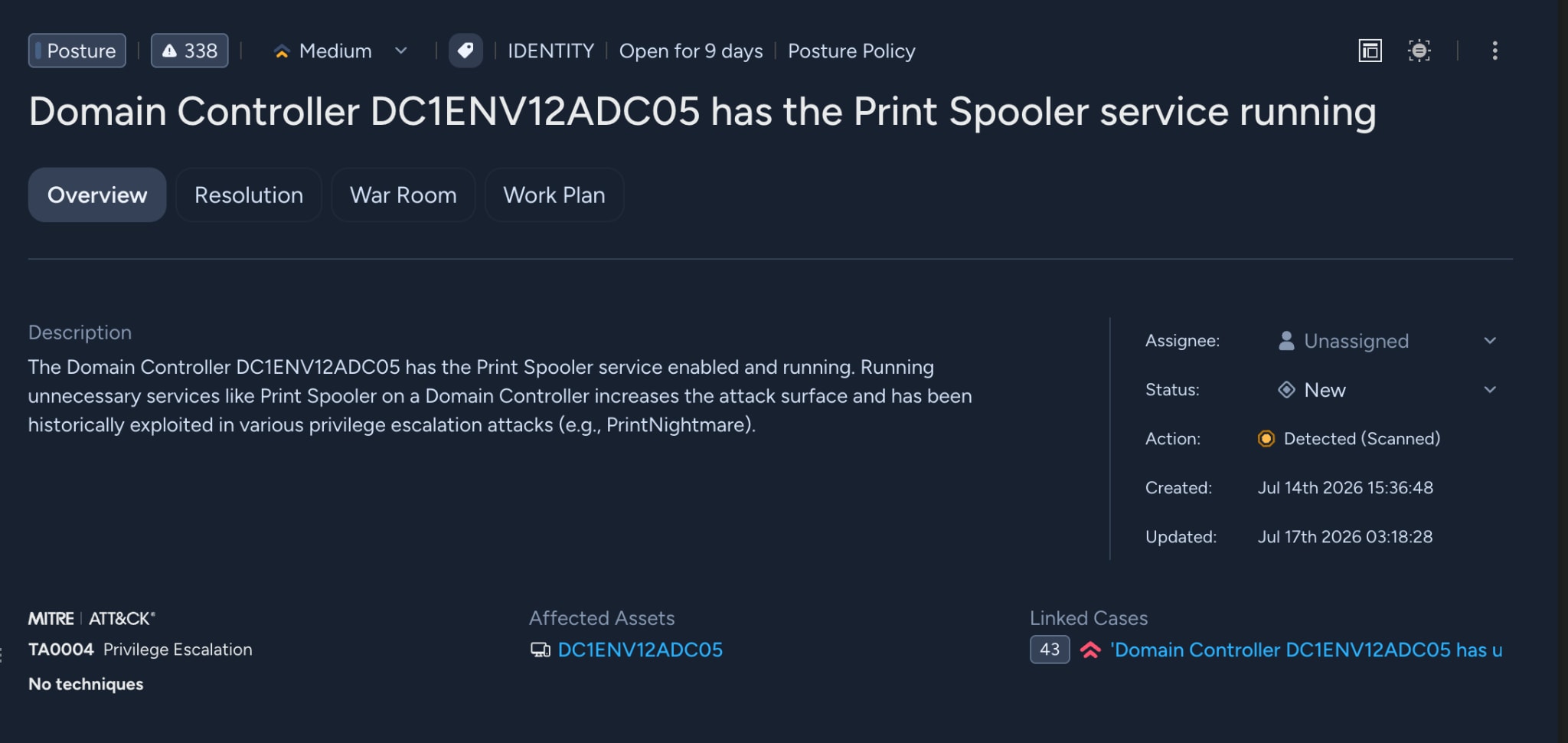
Each security finding is linked to this asset, so you can:
- See all misconfigurations for a specific user, group, or service account in one view.
- Track which issues are new, which are resolved, and which are still open.
- Monitor security posture changes over time.
For example, clicking on a service account asset might show six active findings: password never expires, unconstrained delegation, Domain Admins membership, no AES encryption, old password, and pre-authentication disabled. Each one is a separate tracked issue with its own severity and remediation guidance.
Identifying risky permissions and attack paths
Active Directory permissions are a common starting point for attack paths. AD-SPM analyzes privileged permissions across key Active Directory objects to show who has access to what and identify configurations that could enable privilege escalation or lateral movement.
You can query these relationships directly in XQL. For example, to find users with write access to certificate templates:
|
1 2 3 4 5 |
dataset = ad_hygiene_acls | filter target_xdm_asset_type_id = "AD_CERTIFICATE_TEMPLATE" | filter active_directory_rights contains "WriteDacl" or active_directory_rights contains "GenericAll" | fields identity_reference, target_asset_name, active_directory_rights |
This makes it straightforward to identify risky permission configurations like ESC1-style attack paths without needing a separate graph database.
How do detection rules work?
Cortex XSIAM uses a two-tier rule framework:
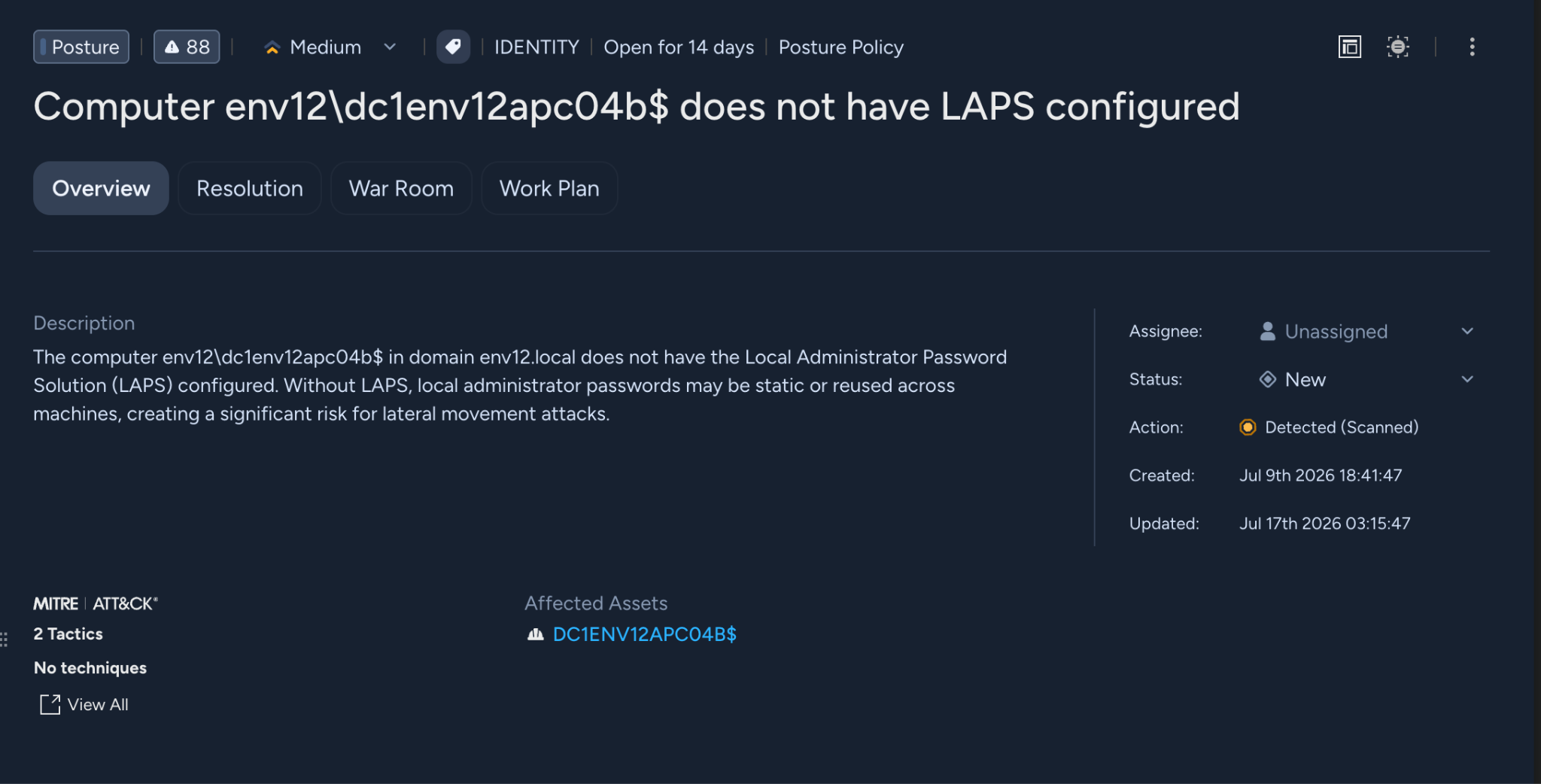
- Finding rules evaluate raw Active Directory data and produce per-asset findings. For example, a finding rule checks whether each account has the password-never-expires UAC flag set.
- Detection rules correlate multiple findings on the same asset to surface higher-risk conditions. For example, a detection rule identifies accounts that are both privileged and have password-never-expires — a more specific and actionable issue than either finding alone.
Detection rules are delivered as content packages that update independently of product version releases, so new rules can ship as soon as they're ready. AD-SPM uses continuously updated detection rules to evaluate Active Directory configurations and identify risky conditions. Detection content can be updated independently of the product, allowing new rules to be delivered as security research and attack techniques evolve. Rules are also designed to work consistently across localized Active Directory environments, helping provide reliable detection regardless of language.
What attack surfaces does AD-SPM cover?
AD-SPM covers the major Active Directory attack surfaces that security researchers have documented:
Kerberos attacks — Detect configurations that can enable attacks such as Kerberoasting, AS-REP Roasting and Golden Ticket attacks, including weak authentication settings, outdated encryption and aging privileged credentials.
Delegation abuse — Unconstrained delegation on user and computer accounts, resource-based constrained delegation (RBCD) on DCs and krbtgt, and service accounts with delegation rights to privileged objects.
Certificate template exploitation (ESC attacks) — We collect certificate template attributes and ACLs to detect ESC1-style misconfigurations: templates that allow client authentication, don't require manager approval, and are writable by low-privileged users. The ACL collection covers WriteDACL, WriteOwner, and GenericAll permissions on certificate templates specifically.
Privilege persistence — AdminCount orphans (accounts with adminCount=1 that are no longer in privileged groups), privileged SID history entries, and non-default members in sensitive groups like Pre-Windows 2000 Compatible Access (where Anonymous Logon or Everyone membership enables unauthenticated LDAP enumeration).
Domain controller hardening — Identify risky local configurations such as LDAP signing, SMB signing, outdated TLS versions and Print Spooler settings. Because the Cortex agent runs locally on the domain controller, AD-SPM can evaluate these configurations directly.
Getting Started
AD-SPM is available to Cortex XSIAM and Cortex XDR customers with the ITDR module. If the Cortex agent is deployed on your Domain Controllers, collection starts automatically. Findings appear in the Identity Security dashboard under Active Directory Hygiene.
With AD-SPM, Cortex XSIAM customers can continuously identify and reduce Active Directory risk using the Cortex agent already deployed on their domain controllers.
Learn how Cortex ITDR helps strengthen identity security.